Studying together works. Getting together is the hard part.
Students want the focus and the accountability that come from studying with friends. Then someone has to cross campus, find a table during exam week, and hope the Wi-Fi holds.
CASE STUDY | PRODUCT DESIGN + INTERACTION
Grail is a virtual group-study platform. You drop into a huddle with friends, pick a room, set a timer, and study together from anywhere — with an 8-bit penguin standing in for you on camera.
THE PRODUCT
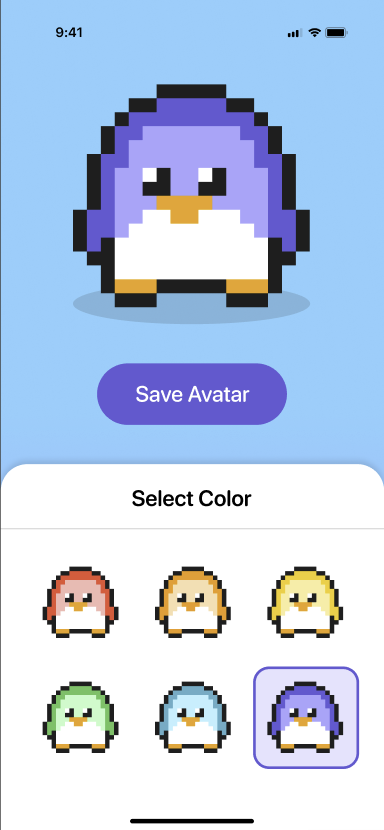
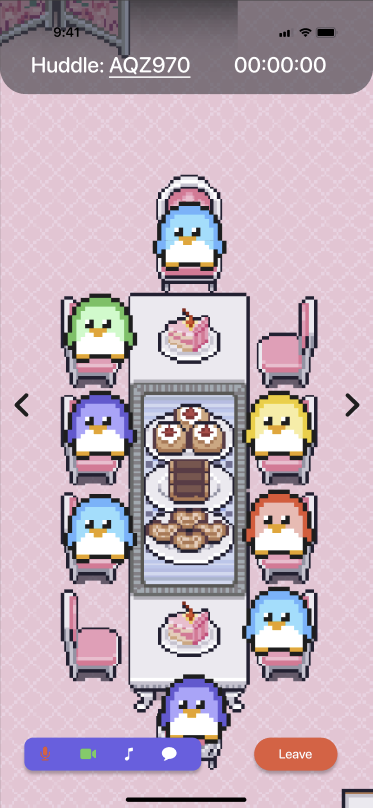
Grail was designed as a virtual group-study platform for App Team Carolina. It paired practical collaboration features with 8-bit penguin avatars so the experience could feel more approachable, social, and memorable than a generic productivity tool.
Students want the focus and the accountability that come from studying with friends. Then someone has to cross campus, find a table during exam week, and hope the Wi-Fi holds.
Grail addressed that challenge by helping students connect, collaborate, and stay productive from the comfort of their own space, while keeping the tone playful through avatars and themed study environments.
Since Grail did not ship, I could not measure retention or active usage. I treated success as whether the concept, flow, and interaction model were understandable to reviewers and compelling enough to stand out during the App Team Carolina Gala.
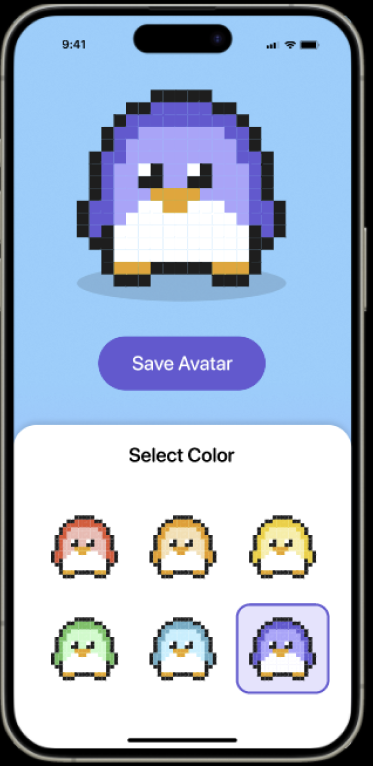
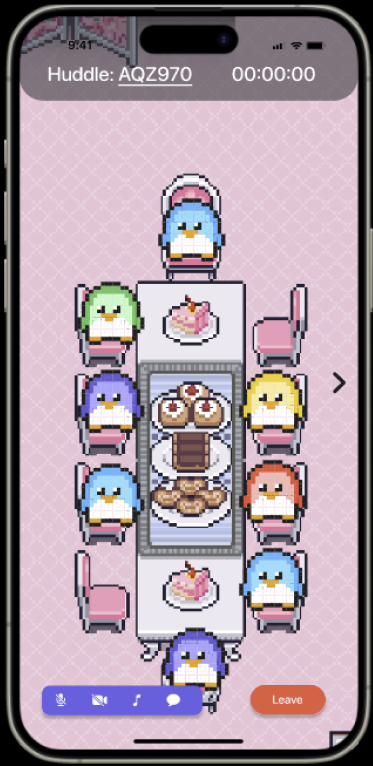
Customizable avatars gave students a sense of presence. Real-time collaboration made remote study feel active. Personalized rooms, music, and timers helped students shape an environment that matched how they wanted to focus.
EARLY STRUCTURE
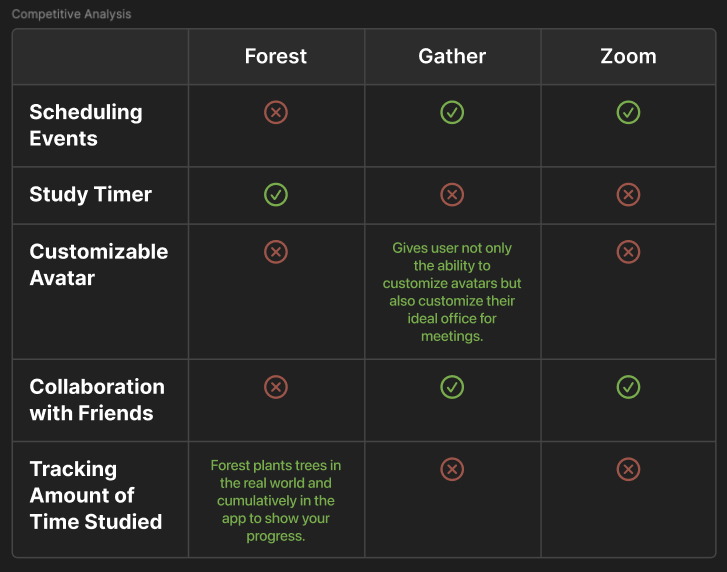
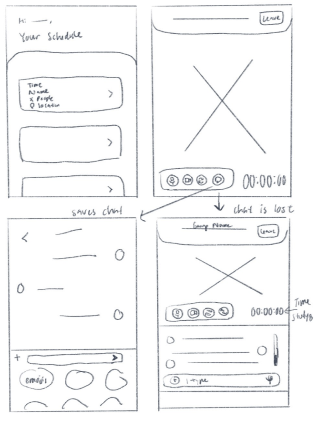
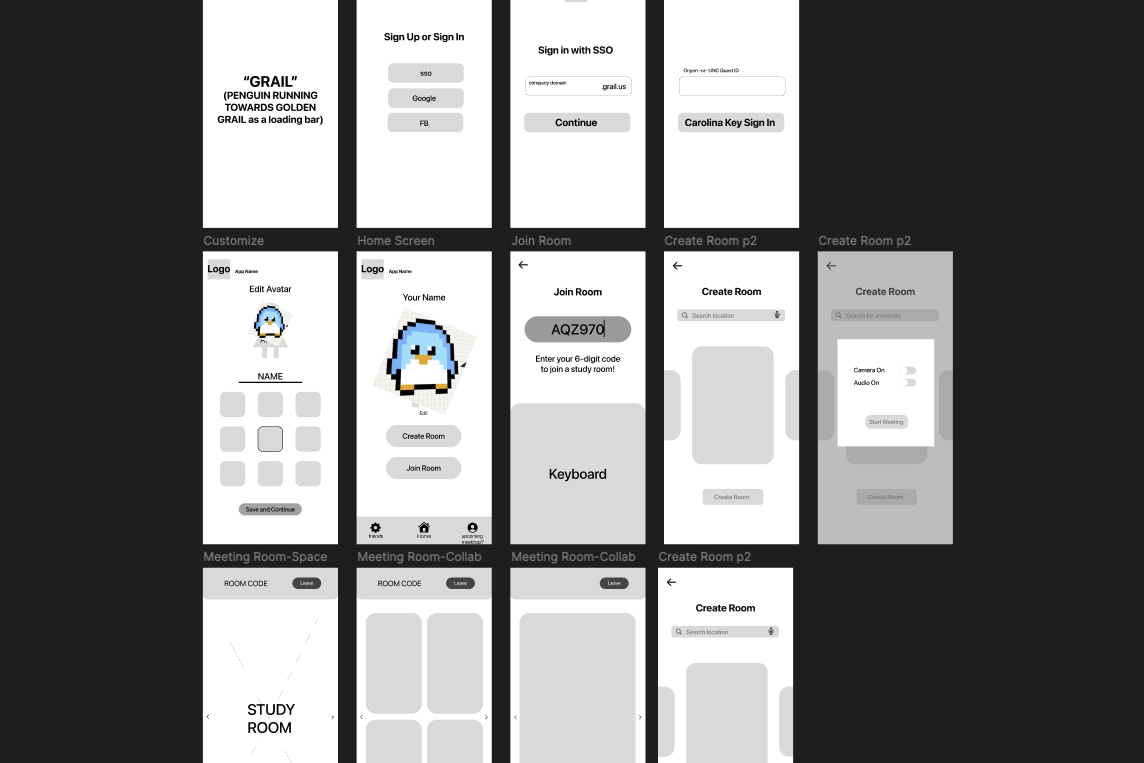
The early prototype organized the main jobs of the app: entering the product, choosing a study context, customizing an avatar, finding people, and moving into a huddle. This stage kept the focus on flow and hierarchy before the interface became more expressive.
We mapped the core path first: open the app, sign in or get started, customize an avatar, create or join a room, and enter a study space. That kept the team focused on what had to happen before polishing the interface.
Timers, music, group chat, video, reminders, and themed spaces all came up during sketching. The prototype emphasized the ideas that most directly supported studying together: avatar identity, room presence, and collaboration controls.
VISUAL SYSTEM
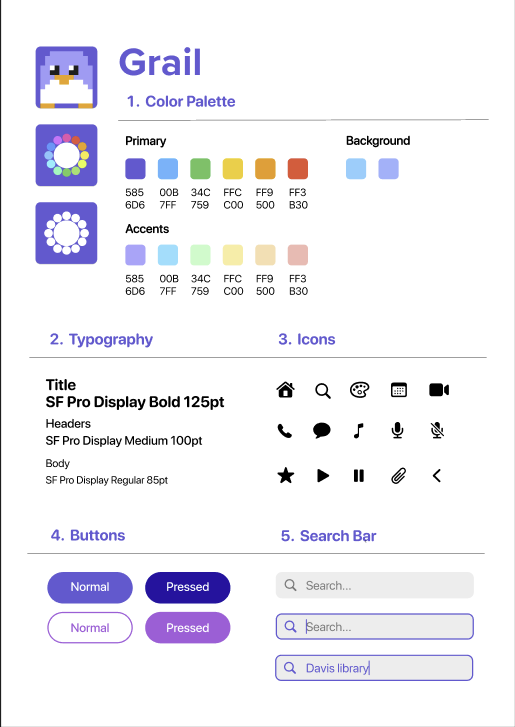
Penguins are a liability if the buttons stop looking like buttons. The style guide existed to keep Grail feeling like a game without making anyone hunt for how to leave a room.
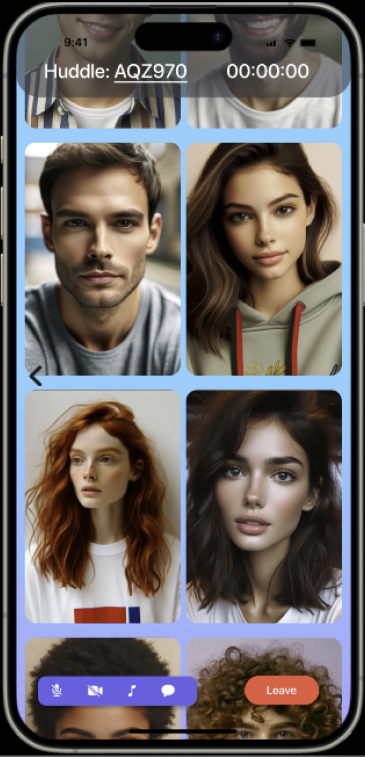
Customizable penguin avatars, video and group chat, availability signals, reminders, room templates, and background music all tied back to making group study easier to start and more enjoyable to continue.
Bright primary colors, softer accents, rounded controls, simple icons, and SF Pro Display. The rule I held to: save, search, play, mute, and leave had to be recognizable at a glance, however playful everything around them got.

ARTIFACTS
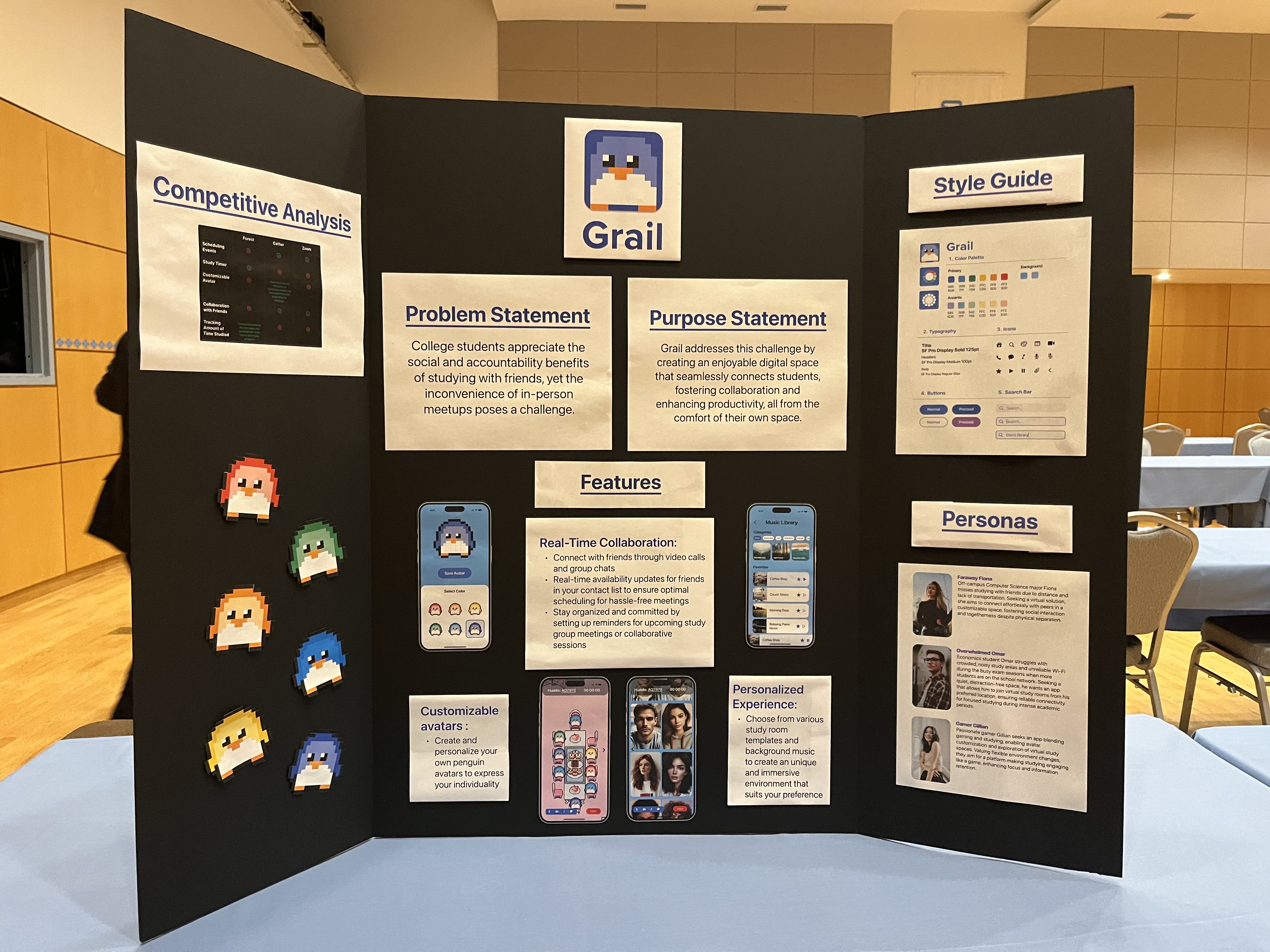
Beyond screens, I helped shape how Grail showed up visually: app icons, avatar language, presentation material, and a poster that made the concept easy to understand quickly at the App Team Gala.
PROTOTYPE
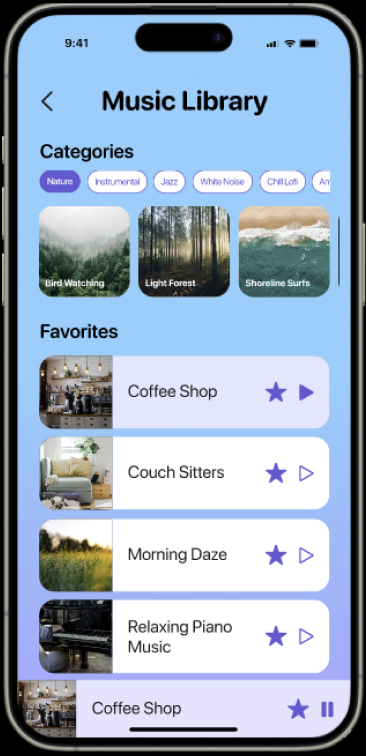
The Figma prototype explored onboarding, create and join huddle flows, avatar personality, study rooms, and app icon concepts.
RECOGNITION
Grail received awards for Most Impressive Functionality and Best Interaction. For me, that recognition mattered because the project was not only visually playful. It also communicated a clear product flow and a reason for the interaction choices.
REFLECTION
I went in assuming the avatars were decoration sitting on top of the real work. They turned out to be the reason a room felt worth staying in. A study tool has to be useful. Nothing says it also has to feel like a spreadsheet.
Back to portfolio